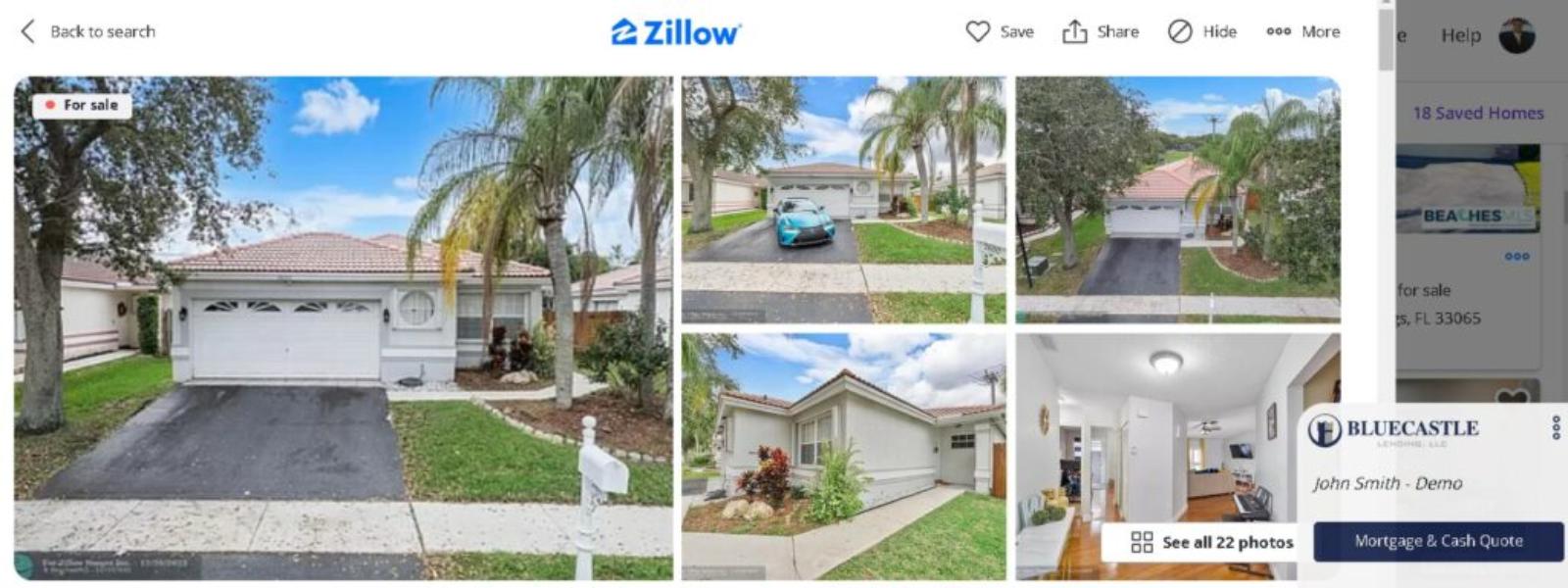

InstantPQ Browser Extension for Zillow, Realtor, Homes, and many more!


Do You Prefer to View Houses on Zillow? We understand! 

Once your mortgage is approved with Bluecastle Lending, we set you up so you can view single-family homes or condos the way you are used to viewing real estate. Then, when you want to know the financials or any other exclusive information we give you, you simply press the Bluecastle button on the right side of the screen, and voila! There you have it!


See Properties for Sale With Your Information, Regardless of the Site!

You can view homes for sale on the top real estate websites of your choice. Whether you are a first time home buyer or a seasoned investor, InstantPQ seamlessly interacts with Zillow, Realtor.com, the MLS, and many more. Coming soon, the top 10 real estate websites nationwide! Now you can easily avoid properties you don’t qualify for or the ones with a payment that’s too high. Enjoy a smarter and easier way to navigate this tough real estate housing market.

Easy Install, Easier to Use

Whether browsing listings on Zillow, Realtor.com, or Trulia or navigating your realtor’s or real estate agency near me MLS platforms like Matrix or FlexMLS, InstantPQ is your trusty companion, delivering pinpoint-accurate financial insights.

Installing Instructions
  1. Go to the Chrome Webstore
  2. Search InstantPQ
  3. Click “Add to Chrome”
 
How to Use:
Visit any of the following sites: 
  • Zillow
  • Realtor
  • Homes
  • Trulia
  • Redfin
  • Keller Williams
  • Better Homes & Gardens
  • Century 21
  • Coldwell Banker
  • Remax
  • Compass
  • Corcoran
  • Movoto
  • Sothebys
The Bluecastle icon will appear on your screen on the right hand side. Click on the Icon, and you’re all set! The financial data reflects your loan approval! 
 

Note: You need to be approved by Bluecastle Lending before you can use InstantPQ. Start your mortgage loan approval and have fun! 


Skip to content